Foxes, Bin Day and the 6am Van: Getting Your Video Doorbell to Calm Down
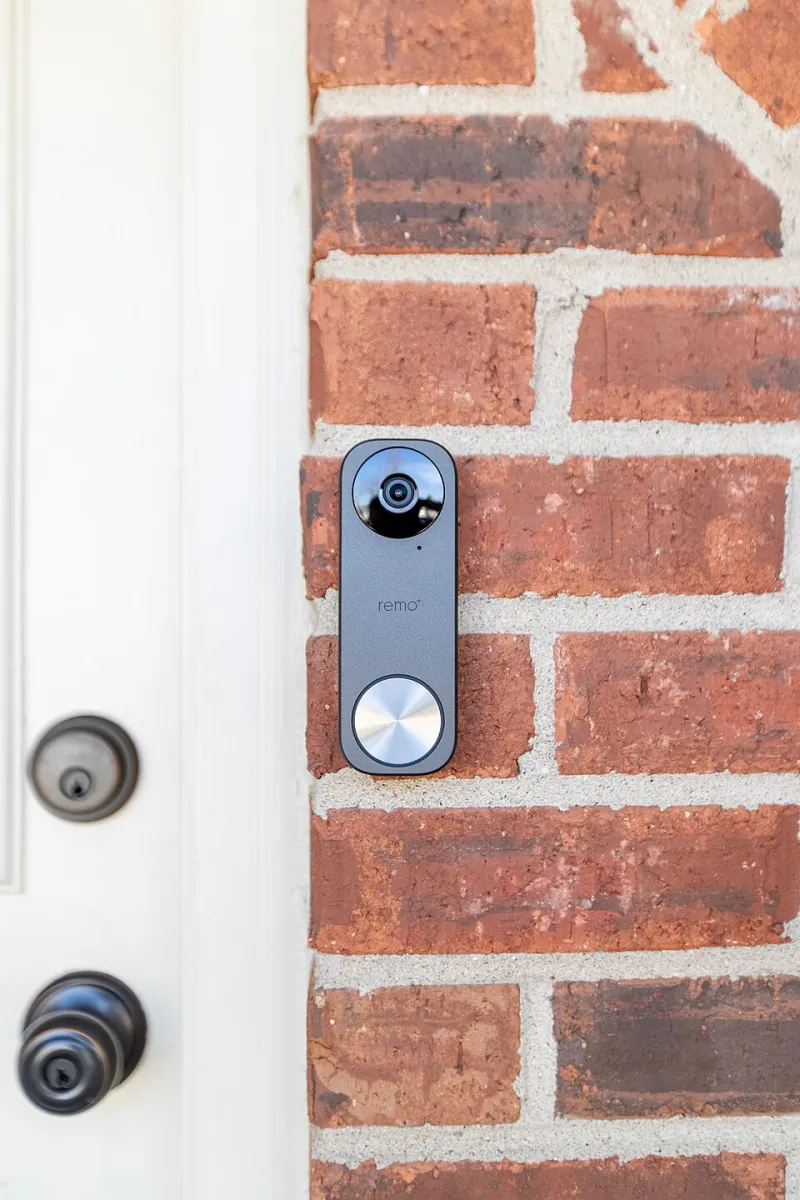
Photo: C05731, CC BY-SA 4.0, via Wikimedia Commons
Your video doorbell is probably not broken. It is doing exactly what you asked: watching a slice of the street and telling you about anything that moves. The trouble is that in a typical UK terrace, that slice includes the pavement, the bin store, a hedge that moves in the wind and the 6:40am van that turns around at the end of the road. By late 2026, the cameras are cleverer than ever, but they are still easily confused by rain, low winter sun and a fox with a confident walk.
The fix is not to turn off motion alerts and pretend you have a normal bell. It is a 30-minute tune-up: a bit of evidence gathering, a few sensible settings and a weekly glance at the event log. Here is the practical version.
Start with evidence, not settings
Before you touch a slider, open the doorbell app and look at the last seven days of events. You are not looking for a full forensic review. You want patterns. When do the false alerts happen? Is it the school run, bin day, a neighbour's cat, or headlights sweeping across the path at 5pm? Note the top three offenders. This matters because most people crank sensitivity down to zero after one bad night, then miss a real delivery for a fortnight.
Draw a zone around the doorstep, not the street
Activity zones are the single most useful control you have. In the app, draw a shape that covers your path, doorstep and maybe the gate, but leaves out the pavement and the road. If your doorbell looks down a shared alley, keep the zone tight to your door. Test it properly: walk up to the door from the pavement, then get someone else to do it. A zone that excludes the postie is not a zone; it is a filter for ignoring your own life.
Sensitivity is a volume knob
Most false alerts come from sensitivity being set too high for the scene. Medium is usually enough for a front door. If your camera has person detection, use it and turn off generic motion alerts where you can. Package detection is useful if you actually get packages left in a sensible place; if yours are thrown over a gate, it may just add noise. Battery doorbells benefit from lower sensitivity too, because every wake-up costs power.
Give the fox a bedtime
Notification schedules are underused. You can usually keep doorbell presses coming through at all hours but silence motion alerts overnight. If your camera supports person-only alerts after 11pm, use that. The fox does not need to be announced at 2:15am. Neither does the rain. If you have a shared household, agree the schedule so nobody is the only person being woken up.
The 30-minute tune-up
- Update the firmware. Boring, but fixes happen.
- Open the event log and write down the three most common false triggers.
- Redraw activity zones. Keep the pavement out. Check the gate and path are in.
- Set detection to person and package only, if available.
- Drop sensitivity one step. Do not go straight to minimum.
- Set a notification schedule: motion off overnight, doorbell presses on.
- Turn on privacy zones for any neighbour's window or public pavement you do not need to record.
- Test with a real person walking up the path. Then leave it alone for a week.
The weekly ten-minute review
Once a week, scroll the event log. Count roughly how many alerts were useful and how many were weather, traffic or wildlife. Change one setting at a time. If you change three things and it improves, you will never know which one worked. Seasonal adjustments matter in the UK: a hedge grows, a bin gets moved, Christmas lights reflect, and low sun in November can make a wet path look like a person. A doorbell that was fine in June may need a small nudge in December.
Privacy before the footage leaves the porch
A doorbell sees more than your doorstep. Before you enable cloud storage or share clips, check a few things. Turn on two-factor authentication for the account. Use privacy zones to mask a neighbour's windows and any part of the pavement you do not need. Consider turning audio off if you only need video; it picks up conversations that are not yours. Check how long clips are kept and delete old events. Look at who has access: a family member, a dog walker, an old housemate. Remove anyone who does not need it. If you share footage in a community group, be careful about number plates, children and other people's front doors. The ICO's guidance on domestic CCTV is worth a read if your camera looks beyond your property.
When to stop fiddling
If you have done the zones, sensitivity and schedule and still get nonsense, the camera position is probably wrong. A wedge to angle it down, a move to the other side of the door, or a model with better person detection may do more than another hour in the app. Do not disable all alerts out of frustration. A doorbell that never tells you anything is just a bell with a subscription.
The aim is not a silent phone. It is a phone that buzzes when someone is actually at the door, and stays quiet when the fox does its rounds.