The Spare Tyre for Your Home Broadband: A £60 Cellular Failover That Behaves
On a grey November 2026 morning, the fibre light goes red at 8:55. You have a 9am call, the heating is on a schedule, and the smart speaker has chosen this moment to forget what a network is. Most UK broadband outages are short, but the short ones always seem to arrive at the worst time. This is the case for a small cellular spare tyre — not a second full broadband line, and definitely not a weekend of load-balancing theory.
Start with the 9am call, not the whole house
The goal is not to keep four people streaming 4K while the fibre is down. It is to keep the things that matter alive: the work laptop on a video call, the heating bridge, the alarm panel, maybe the baby monitor. A £60 cellular backup is insurance against an awkward hour, not a replacement for fibre.
That distinction keeps the shopping list short. You need a 4G router that can act as a WAN source, a separate data SIM, and a way for your main router to switch over when the primary line dies. If you already have a router with dual-WAN or USB tethering, you are halfway there. If you do not, do not panic — there are sensible ways to work with what you have.
What the £60 actually buys
Ignore the glossy 5G boxes. For this job, a used business-grade 4G router is usually the smarter buy: something like a Teltonika RUT240, a TP-Link MR6400, or an older DrayTek with an Ethernet WAN port and proper failover settings. Check the manual before buying. You want Ethernet ports, a visible SIM slot, and a settings page that mentions failover, not just a plastic box with one blinking light.
Avoid no-name routers from marketplace sellers unless you enjoy firmware mysteries. A second-hand unit from a business IT reseller is fine. Add a short Ethernet cable and a label maker, or a strip of masking tape and a pen.
The SIM is separate from the hardware budget. In the UK, a rolling monthly data plan from EE, O2, Vodafone or Three — or an MVNO such as Smarty, Lebara, 1pMobile or Voxi — will do. Think 10GB to 30GB, not unlimited. Preloaded data SIMs can work well if you note the expiry date. Check coverage with Ofcom's mobile checker and, more importantly, with a phone standing where the router will live.
Check the signal where the box will actually sit
Do not test coverage at the kitchen table and then install the router in the cupboard under the stairs. Stand on the shelf, near the window, or wherever the box will go. Run a speed test on each network at a busy time — around 8pm is a good reality check. You are looking for a stable few megabits per second, not a record. A work call needs consistency more than headline speed.
4G is fine for this job. 5G is nice if it happens to be strong, but it is not worth paying extra for a backup line that will sit idle for weeks. The router should also support an external antenna, even if you never use one. In a thick-walled UK terrace, a cheap antenna can be the difference between a useful spare tyre and a decorative box.
Placement: boring, high, near a window
Put the 4G router high, near a window, and away from the microwave, the cordless phone base and the back of the television. Do not hide it in a metal cabinet. If you are using it as a separate emergency Wi-Fi network, place it somewhere central enough to cover the room where you take calls.
If you are feeding it into your main router, keep the Ethernet run short and labelled. The last thing you want during an outage is to be tracing a mystery cable while a client waits on hold. Boring placement beats clever placement every time.
The clever bit: let the main router decide
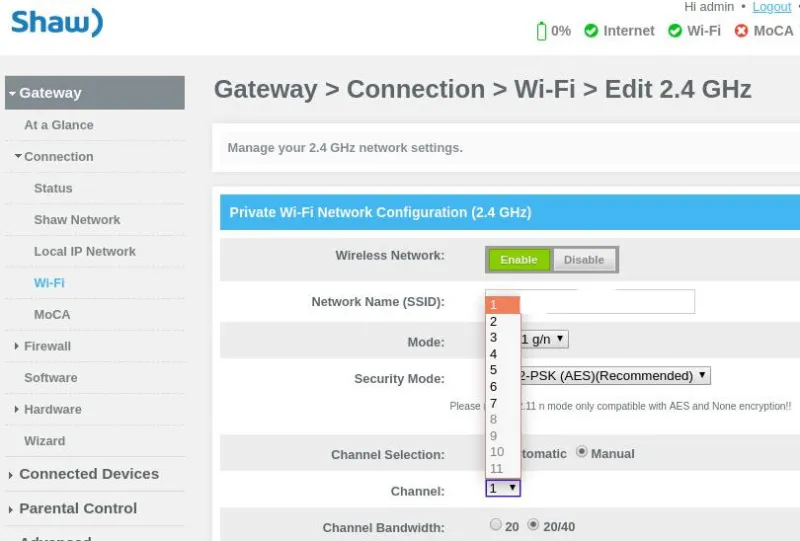
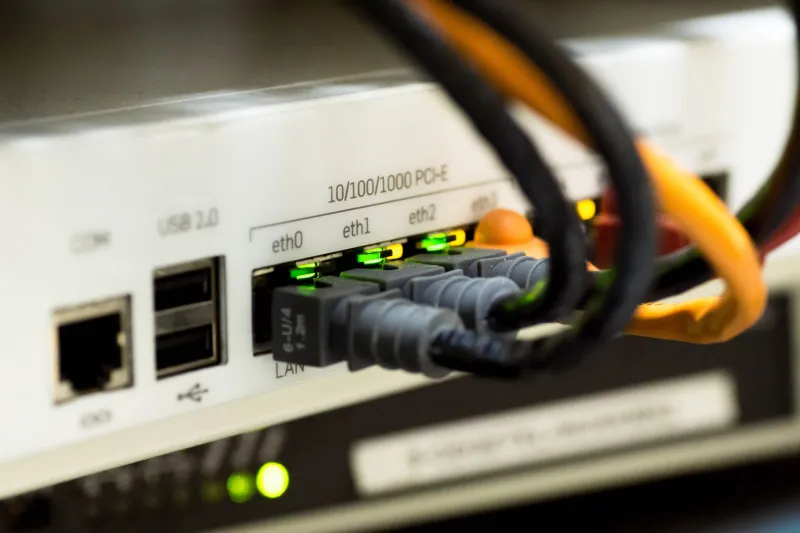
The 4G router is the modem. Your main router is the brain. If your existing router has a second WAN port or USB tethering, connect the 4G router's LAN port to that secondary WAN and set the primary connection to fibre, the secondary to cellular, and enable failback. The main router will notice the fibre drop and move traffic over. When fibre returns, it should move back.
If your router has no dual-WAN or USB tethering, you have two honest choices. Replace the router with one that does — but that is no longer a £60 project — or run the 4G router as a separate emergency SSID and switch the important devices manually. That is less elegant, but it is reliable, and it is far better than buying a load-balancing box you will never configure properly.
Do not overthink the failover rules. Set the fibre as primary, cellular as secondary, and leave it alone. Check that the 4G router's APN is correct for your SIM. If you are using it as a separate SSID, keep its Wi-Fi on and give it a name you will remember, such as Emergency Tin Can.
Keep the lights on when the power blinks
A broadband outage often arrives with a power flicker. A small 500VA UPS from APC or CyberPower costs around £40 to £60 and will keep the ONT, the main router and the 4G router alive long enough to finish a call or let the heating bridge check in. Plug in only the essentials. A laser printer or a gaming PC will eat the battery for no good reason.
Test the runtime once. Unplug the UPS from the wall, watch the lights, and see how long you get. Write the answer on the label. A backup that lasts eight minutes is still useful if you know it lasts eight minutes.
Test the switchover on a Sunday
Do not wait for a real outage to discover that failover was never enabled. On a quiet Sunday, use the router's interface to simulate a WAN failure, or unplug the fibre patch lead from the ONT — not the whole house. Ping a reliable address, open a video call, check the heating app and see whether the smart hub reconnects. Then plug it back in and confirm the main router returns to fibre.
Run that test every quarter, and check the SIM expiry and remaining data at the same time. A backup line that ran out of data in March is not a backup line. It is a plastic souvenir.
Set a data leash
Backup data disappears quickly if Windows decides to download a feature update or a cloud photo library decides to re-sync. Cap the 4G connection, pause large backups, and turn off automatic firmware downloads on the 4G router. A 10GB plan is plenty for calls and smart-home traffic if you keep the heavy lifting on fibre.
The £60 bit is the easy part
The hard part is accepting that this is a spare tyre, not a second engine. Label the SIM, note the plan renewal date, and put a quarterly reminder in your calendar. It will not make your fibre reliable. It will make the next outage a lot less eventful — and that is exactly what a sensible home network should do.