Three Automations, Not Thirty: The Case for a Deliberately Boring Smart Setup
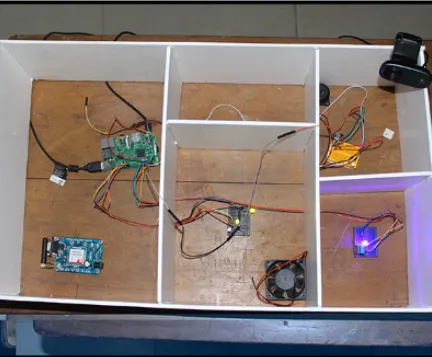
Photo: PRATYUSH AGRAWAL, CC BY-SA 4.0, via Wikimedia Commons
I once counted the automations in a friend's house. Forty-seven. Lights that followed the sun, a heating schedule that argued with a door sensor, a notification when the washing machine finished, a notification when the washing machine had been finished for ten minutes, and a rule that turned the hallway light blue if the bins were due out.
Two of them worked reliably. Nobody in the house could tell you which two.
This is the normal state of smart homes and small offices alike. Not broken, exactly. Just unreliable enough that everyone quietly stops trusting them and goes back to flicking switches like an animal. That's the failure mode nobody warns you about: not a system that crashes, but a system that becomes background noise.
The case for three
Most homes and small teams need three automations. Not as a hard law, but as a default you should have to argue your way out of.
Why three? Because every automation is a small ongoing commitment. It needs an owner, a test, a rollback and a reason to exist. Three fit in your head. You can hold all of them in mind while standing in a hallway wondering why it's dark. You can name them in a sentence. You can notice when one of them isn't working.
Thirty automations are not thirty times more useful. They're thirty times more likely to interact in ways you didn't predict, and the interaction is always discovered at the worst possible moment — a Friday evening, a cold weekend, the morning of a client presentation.
There's a name for the accumulated mess: automation debt. Every rule you add without a test and a document is a small loan against future confusion, and the interest compounds quietly until you give up and factory reset everything.
Picking the right three: the friction test
Don't pick automations because they're impressive. Pick them because they remove friction you'd otherwise feel this week.
Run an audit. For five working days, note every action you repeat that's roughly the same each time and mildly annoying. Not everything — just the annoying ones. Then score each candidate against four questions:
- Frequency. Does it happen at least four times a week? If not, the automation will never earn back the time you spent fiddling with it.
- Variance. Is it the same every time? Automations thrive on predictability and collapse on judgement calls.
- Observable success. Can you tell in three seconds whether it worked? If verifying it takes longer than doing it, skip it.
- Safe failure. When it breaks — and it will — is the result merely inconvenient, or actively a problem? A light that fails to come on is fine. A heating system that fails to shut off is not.
Anything that scores well on all four is a candidate. Anything that fails on the fourth is out, permanently, no matter how clever it is.
Design for the failure, not the success
This is where most home automation goes wrong. People design the happy path and never think about the edge.
Decide up front what should happen when the automation can't run: network down, hub rebooted, sensor battery flat, the cloud having one of its moods. That state should be safe and obvious. Heating should default to a frost-protect schedule, not to 'on'. Lights should fail to off, or to a manual switch, not to a locked-off state you can't override. Anything security-adjacent should fail to locked, with a physical key still working.
Also decide who can stop it. If switching off an automation requires logging into a cloud account only one person knows the password for, you've built a liability, not a convenience.
Name them like a colleague
A rule called 'Automation 7' or 'If motion then light' will be forgotten by Thursday. A rule called Hallway Night Path will not.
Use a verb-noun or a short human phrase that describes the job, not the mechanism. Cold Snap Guard. Last Out Lights. Friday Invoice Nudge. Evening Warm-Up. Names are documentation for the version of you who will have forgotten all of this in three months.
Run a two-week dry run
Before you let an automation actually change anything, run it in a mode where it only tells you what it would have done. Most decent platforms offer a log or history view that gives you this for free.
Two weeks is the right window because it catches the fortnightly exception — the cleaner, the early shift, the school run that's different on Wednesdays. If you can't do log-only, run it with the physical action disabled: the light doesn't change, but you get a notification saying it would have.
Then enable it, and leave it alone for a month. Resist the urge to tune it. Tuning is how one automation becomes four.
Document it on one page
One page per automation, in a note you'll actually find. Six fields:
- Trigger — what starts it
- Conditions — what has to be true
- Actions — what it actually does, in plain English
- Failure state — what happens when it can't run
- Off switch — exactly how to disable it
- Last tested — a date, honestly filled in
That's it. If you can't write it on one page, it's doing too much, and it should be three automations — which is precisely the trap you're trying to avoid.
Three that earn their place
Cold Snap Guard (heating). A frost-protection schedule that never turns off, plus a modest setback during working hours when nobody's home, overridden by a single 'we're in' condition. It saves real money in winter, it fails safe, and if it stops working you'll notice because the house is cold. That's the whole point.
Hallway Night Path (lighting). Sunset-triggered, motion-driven, low brightness, off after a set time. It's the one automation guests notice and nobody has to explain. It fails to off, which means a dark hallway — survivable — rather than a hallway lit all night for no reason.
Friday Invoice Nudge (admin). A scheduled task that pulls anything unpaid beyond fourteen days and puts a single, tidy list in one place each Friday morning, with a draft chasing email ready to send. One list, once a week, no push notifications in between. This is the pattern for office automation generally: batch the noise, don't spray it.
Note what these have in common. Each is boring. Each is verifiable at a glance. None of them is clever enough to surprise you.
The traps that turn three into thirty
Notifications. Any automation that pings you more than once a day is training you to ignore notifications. Batch them or delete them.
'Just one more'. The moment an automation needs a second condition that exists only to fix the first one's edge case, you've got a design problem, not a condition problem. Rewrite it.
Scenes wearing a disguise. If you're manually triggering it every time, it's a scene, not an automation, and it belongs on a button rather than in a schedule.
Cloud dependencies. Check whether your rules live in a hub in the cupboard or on a server in Ireland. If it's the latter, know what still works when the broadband drops — and make sure the answer includes the heating and the lights.
Guests. Any automation that assumes a phone is present will misbehave the moment someone visits, borrows a charger, or leaves their phone upstairs. Have a manual fallback that's obvious to a visitor.
Prune quarterly
Once a quarter, sit down with your list of three and ask a blunt question: have I noticed this working in the last ninety days? If the honest answer is no, it's either doing nothing or failing silently. Either way, delete it, fix it, or replace it — but don't leave it running out of politeness.
Three automations you trust beat thirty you've stopped believing in. Your house isn't a demo, and neither is your office. Build the small thing that quietly works, then go and do something better with the afternoon.